TL;DR
- Dealers should find where seller opportunities stop becoming purchases, then evaluate software against that step. This guide provides a channel-fit test, a weighted demo scorecard, and a cost-per-purchased-vehicle calculation rather than a vendor ranking.
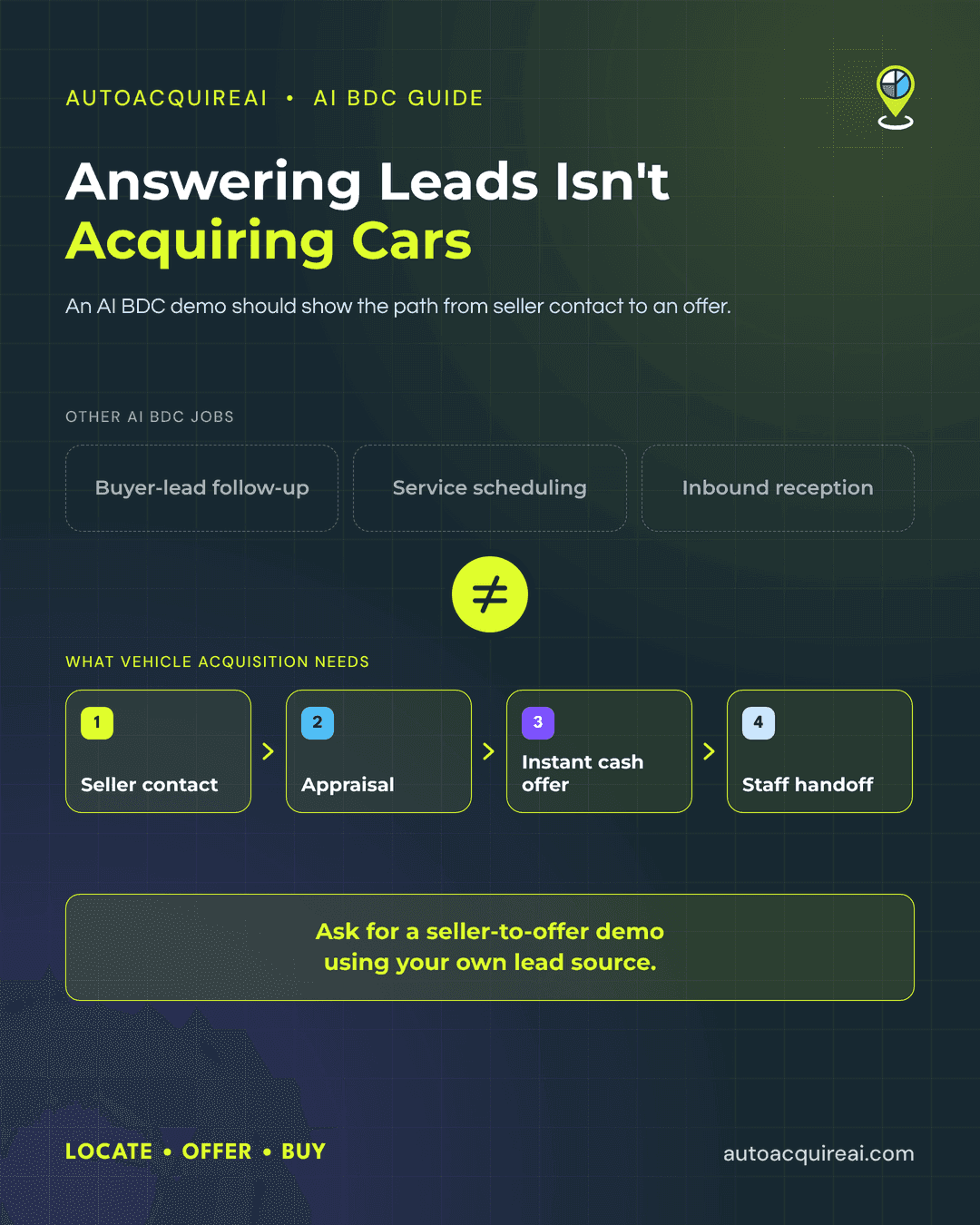
- Private-party sellers need follow-up, service-drive customers need a path to an offer, and inbound offers need a response. Wholesale sourcing serves a different need when direct channels do not supply enough vehicles.
- A weighted scorecard lets dealers test each vendor against the same channel gap. Demos should show live lead handling, DMS or CRM data transfer, and rooftop-level reporting.
- Compare fully loaded cost per vehicle actually purchased, including software, staff time, and lead costs. Acquisition tools can complement a DMS and auction access rather than replace them.
Find the acquisition step your store is missing
A recent 30-day review can show where seller opportunities stop becoming purchases. Examine each acquisition channel separately. For each one, count eligible opportunities, seller contacts, appraisals, offers, and vehicles purchased. Inspect records that stopped moving and use the same definitions for each count within a channel. A store may have the software to capture a lead but no one assigned to follow it up.
- Private-party: Sellers who contact the store wait for a reply, or staff find suitable listings but never record outreach. Check who owns each seller conversation and how quickly the first contact happens.
- Service drive: Vehicles that meet stocking needs pass through the lane without a documented appraisal or purchase conversation. Compare eligible repair orders with assigned outreach and completed offers, rather than treating every service visit as a lead.
- Instant offer: Sellers submit vehicle details online, but offers remain unworked or disappear when staff move the conversation into the CRM. Trace submissions through appraisal, follow-up, and the final purchase decision.
- Wholesale: Buyers search auctions regularly but cannot find enough vehicles that meet the store’s stocking criteria at an acceptable total cost. Compare purchases with bids, fees, transport, and the inventory the store still needs.
Heavy auction purchasing alone does not prove a software gap. Wholesale may be the right source for vehicles the store cannot acquire locally. Choose the next tool based on the step the records expose. A store with unanswered private-party leads needs ownership and follow-up before it needs another lead source.
Match software to channel before comparing vendors
Private-party acquisition needs dedicated software when dealers find suitable seller listings but cannot contact owners quickly or track who owns each conversation. A shared spreadsheet may cover a small volume of leads, but unanswered listings or duplicate contacts point to a need for lead assignment and recorded follow-up.
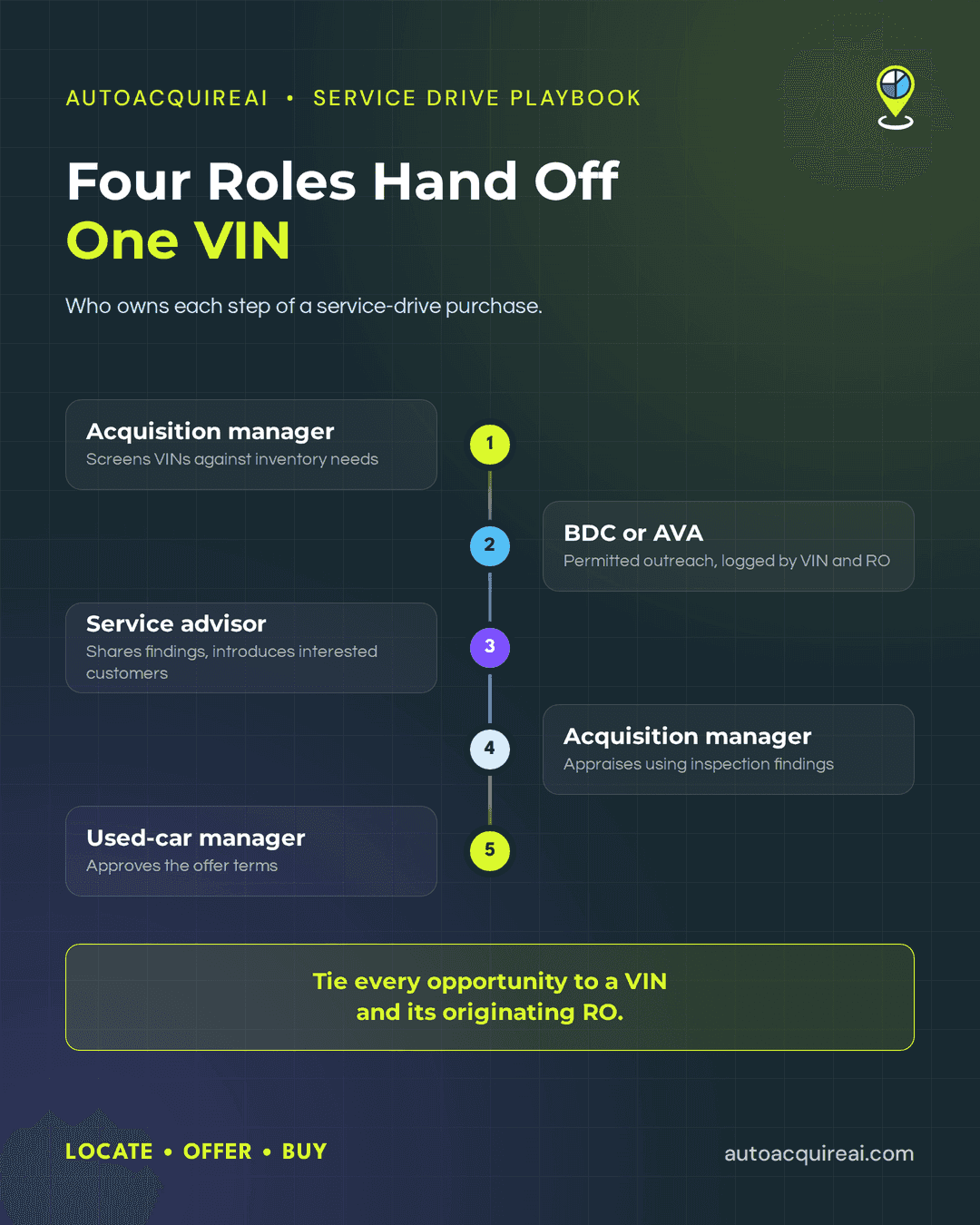
Service-drive acquisition calls for a different trigger. A DMS may hold service appointments and vehicle records, but a dealership still needs a way to identify eligible vehicles, assign outreach, and record whether a customer wants to discuss selling. If eligible vehicles pass through the lane without an assigned outreach owner, dealers should evaluate a service-drive workflow alongside the DMS. The service-drive software comparison covers named options.
Inbound instant offers need attention when customers submit vehicle details but the store cannot move promptly from a request to an appraisal and a staff-owned response. A basic form may suffice if volume stays low and staff handle every request. If requests stall between submission and contact, dealers should compare offer intake and handoff workflows using the instant-offer tool comparison.
Wholesale software serves a separate buying process. Existing auction access may cover the vehicles a store needs at an acceptable total purchase cost. Dealers should consider additional wholesale sourcing tools when buyers repeatedly search multiple venues without finding suitable units or cannot compare purchase costs consistently. Direct-seller software will not replace auction inventory that the store still needs.
Different channel gaps may call for tools alongside the store’s DMS and auction access. AutoAcquire can be evaluated as an acquisition layer for service-drive and private-party opportunities; its channel coverage and connection to the store’s systems still need to be demonstrated. Dealers should retain tools that already handle a necessary step.
Build a weighted scorecard before the first demo
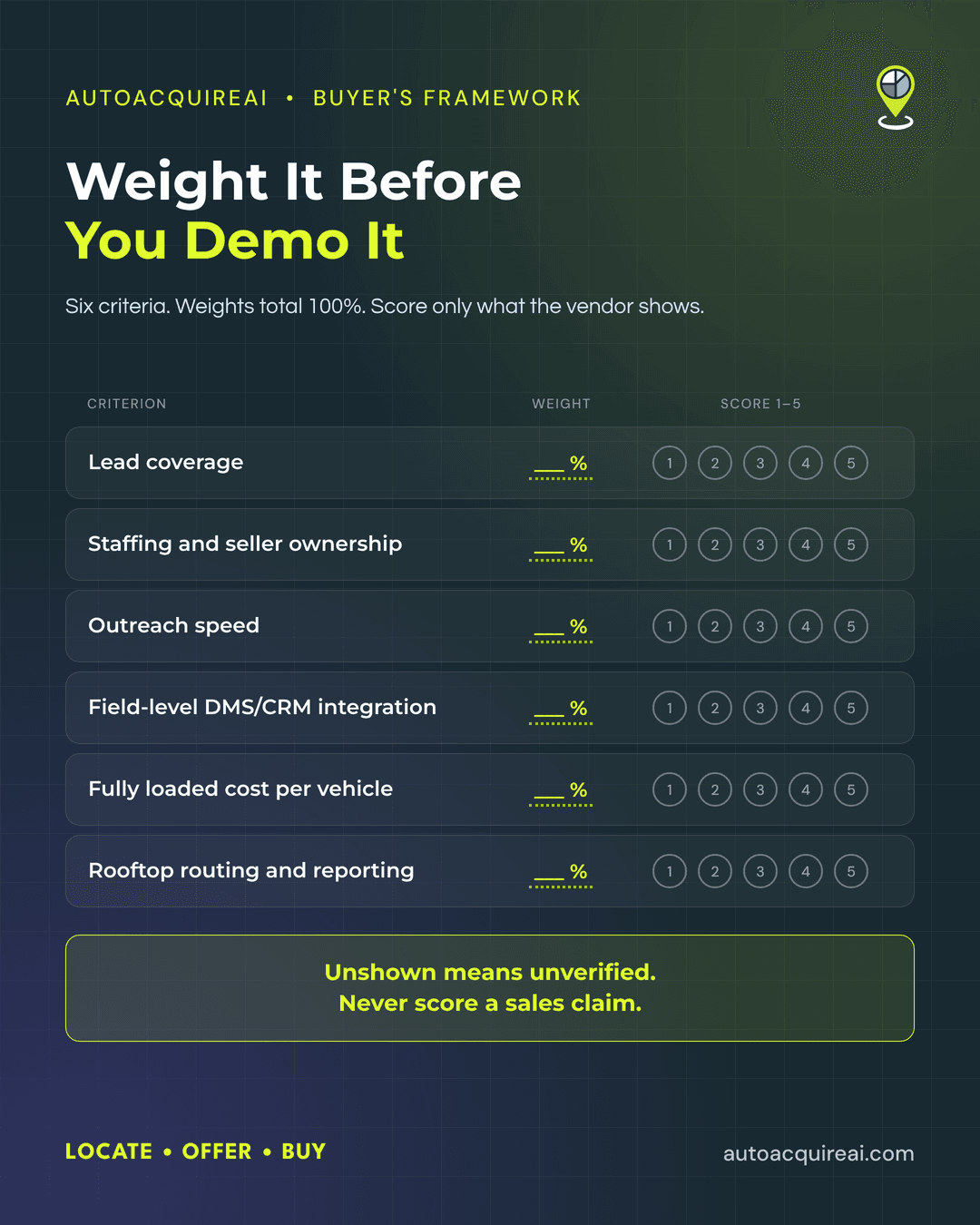
Build the scorecard around the acquisition step the store needs to fix. Give each of six criteria a weight, with all weights totaling 100 percent. A store losing service-drive opportunities might put more weight on outreach speed and staffing, while a multi-rooftop group might put more weight on routing and reporting.
| Criterion | Weight | Demo evidence | Score |
|---|---|---|---|
| Lead coverage | ___% | ___ | 1–5 |
| Staffing and seller ownership | ___% | ___ | 1–5 |
| Outreach speed | ___% | ___ | 1–5 |
| Field-level DMS/CRM integration | ___% | ___ | 1–5 |
| Fully loaded cost per acquired vehicle | ___% | ___ | 1–5 |
| Multi-rooftop routing and reporting | ___% | ___ | 1–5 |
Score each criterion from 1 to 5 only after the vendor shows evidence in a demo. Assign 1 when the vendor cannot demonstrate the requirement, 2 when it can show only a proposed or configured path, 3 when the workflow works with manual steps, 4 when most steps work live but one remains unshown, and 5 when the vendor demonstrates the full workflow end to end. Multiply each score by its percentage weight, add the products, and divide by 100 for a weighted score out of 5. Record unshown capabilities as unverified rather than treating a sales claim as demonstrated.
The six criteria that separate working tools from feature lists
- Lead coverage. Ask each vendor to show where leads originate for the channel the store needs to improve, then trace a sample lead through qualification and assignment. If the store needs new seller leads, importing its existing records will not close that sourcing gap. Check whether duplicate records consume staff time or inflate lead counts.
- Staffing and seller ownership. Have the vendor show who owns a seller after the first contact, an appraisal request, and an unanswered offer. Ask who handles exceptions when automated outreach stops. If the tool cannot assign ownership or preserve the contact history, staff may contact the same seller twice or leave a live opportunity unworked.
- Outreach speed. Request timestamps for lead arrival, first attempted contact, seller response, and staff handoff. Test an after-hours lead and an unanswered first attempt. Check both the first attempt and subsequent follow-up. A first-contact timestamp alone does not show whether staff kept working the seller.
- Field-level DMS and CRM integration. Give the vendor a sample VIN and seller record, then ask which fields each system reads, creates, and updates. Watch a change flow back into the store’s records rather than accepting an integration logo. Read-only access can force staff to re-enter seller details, appraisal figures, or purchase status. Confirm whether updates happen immediately or in batches.
- Fully loaded cost per acquired vehicle. Ask for a report that ties software fees, staff time, and lead or data costs to vehicles actually purchased in the same period and channel. Divide the total by purchased units, not leads, appointments, or offers. A cheap subscription can still carry a high acquisition cost if staff spend hours working low-converting leads. Require vendors to identify any costs their reports omit.
- Multi-rooftop routing and reporting. Have the vendor route a seller near two stores and show which rooftop receives the lead, who can reassign it, and where the purchase gets credited. Request separate store reports and a group-level view using the same definitions. Without clear routing, two stores may contact one seller. Without purchase attribution, a group report cannot show which rooftop acquired the vehicle.
Run a demo that produces comparable answers
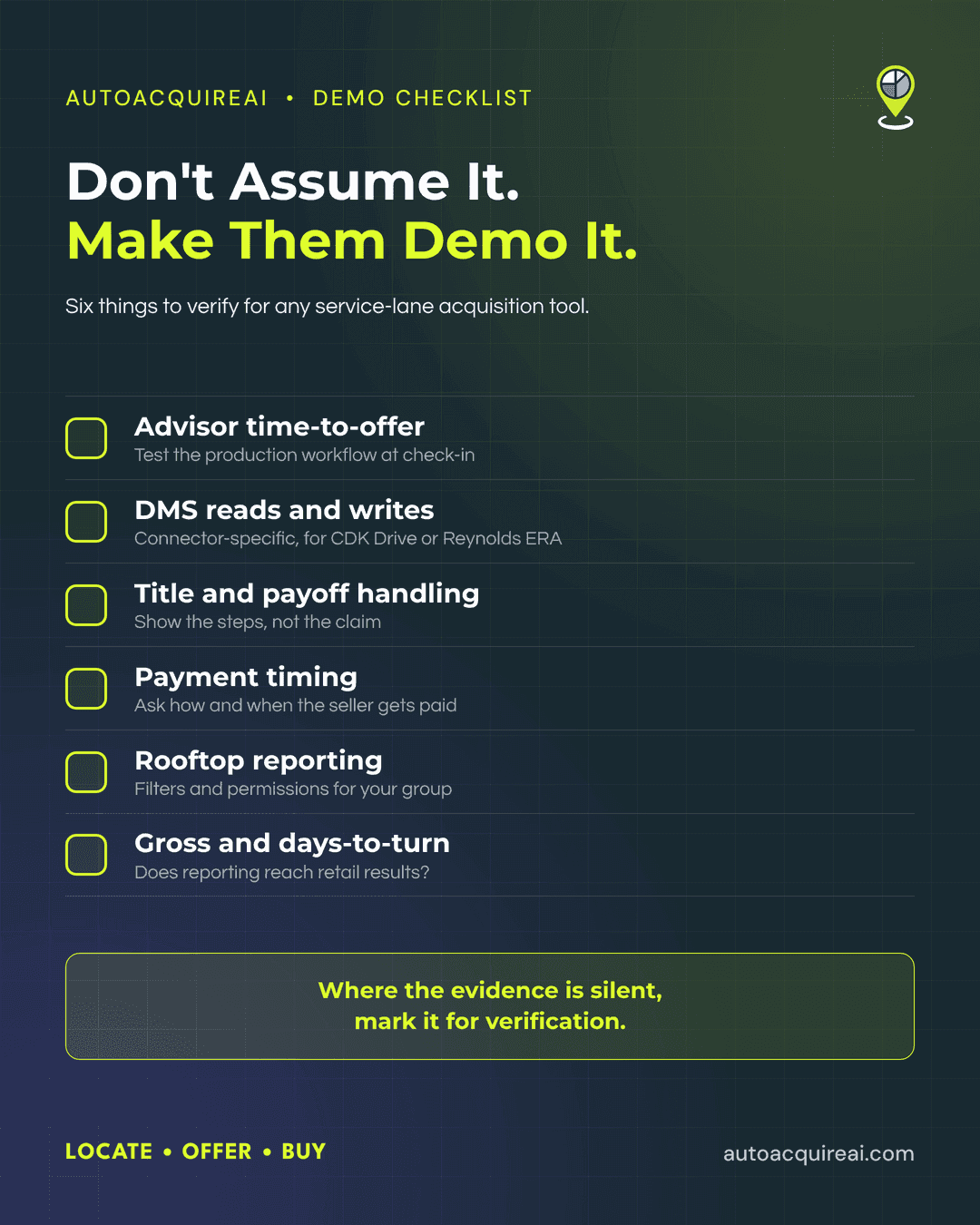
Ask every vendor to demonstrate the same seller journey in the same order, using a consented lead or a sanitized test record. Give vendors the store’s channel mix, staffing model, and rooftop structure in advance. Record what each vendor shows live, what requires configuration, and what the product cannot do. A slide deck does not establish that a workflow works.
- Lead coverage. Ask the vendor to show how a private-party inquiry, service-lane opportunity, or inbound offer enters the product. Use the lead type that matches the store’s diagnosed gap, and note which records require manual entry.
- Staffing and seller ownership. Follow one lead from arrival to an assigned employee and a completed purchase or closed opportunity. Ask who receives an unclaimed lead, who can reassign it, and where staff see the seller’s history.
- Outreach speed. Have the vendor trigger an approved contact sequence and show timestamps for lead arrival, first attempt, seller response, and staff handoff. Ask which steps require a person, including consent review.
- DMS and CRM integration. Request a live, permitted write-back in a test account or connected store environment. Record the destination fields and show what happens when a record already exists. If the vendor can only show a read-only sync or an export, score it as such.
- Cost per purchased vehicle. Ask for the quoted software fee, any lead or data charges, and the staff work the store must supply. Request a report that distinguishes contacted sellers, offers, and vehicles actually purchased. The store can then calculate cost per purchase using its own volumes rather than a vendor’s lead count.
- Rooftop routing and reporting. Route a lead to a specific store, change its assignment, and open a report filtered to that rooftop. Check whether the report preserves the original source and counts a purchase only once across the group.
Score each criterion against the same 1-to-5 rubric established before the demos, and mark unshown capabilities as unverified. Use the live demonstration to decide whether each shortlisted product fits the store’s workflow.
Calculate fully loaded cost per acquired vehicle
Fully loaded cost per acquired vehicle divides acquisition spending by vehicles the dealership actually purchased. For a direct-acquisition channel, include allocated software and setup fees, staff time, lead or data costs, and other channel-specific acquisition charges for the same store and period. For wholesale purchases, include buyer fees and transport in the comparison, and keep vehicle purchase price separate from acquisition costs. A lead, appraisal, or accepted offer does not count as a purchase.
Illustrative example, not benchmark data. In one month, a store spends $2,400 on acquisition software, $900 on leads and data, and 40 staff hours on outreach, appraisals, and closing. At a loaded labor rate of $30 per hour, staff time costs $1,200. If the store purchases 15 vehicles through that workflow, its cost per acquired vehicle is ($2,400 + $900 + $1,200) ÷ 15 = $300.
Ask each vendor to show the purchase counts and charges its product can report for the same window. Have dealership staff add omitted costs, including labor and charges outside the product, before calculating cost per purchase. For shared subscriptions, require vendors to show how they allocate fees across rooftops and channels. Ask them to separate invoiced charges from estimated staff time, then trace the purchase count to dealership records. Comparable inputs let dealers see whether a lower software quote actually lowers the cost of buying a vehicle.
Use the VAN buyer’s guide as a starting point
The VAN buyer’s guide offers another framework for comparing acquisition software. The brief reports a 15.18% citation rate in tracked used-vehicle-acquisition-software prompts from October 17 through November 13, 2026, but provides no primary source for that measurement. That figure should not be published as a verified benchmark; citation frequency would not establish the accuracy of vendor claims in any case.
Treat vendor-specific claims in the VAN guide as unverified until current primary sources support them. Pricing needs a written quote, and channel coverage needs a live workflow demonstration. For a DMS integration claim, ask the vendor to show which fields move, in which direction, and whether purchase status writes back without manual entry.
Record the demo evidence
Use this worksheet to record what each vendor showed in the shared demo scenario. Apply the weights and five-point rubric set before the demos.
| Criterion | What to ask for | Evidence seen | Score 1-5 |
|---|---|---|---|
| Lead coverage | Show how leads enter the tool for the channel under review. | __________ | ___ |
| Staffing and seller ownership | Show who owns a seller lead and how staff receive a handoff. | __________ | ___ |
| Outreach speed | Show the time between lead arrival, first contact, and follow-up. | __________ | ___ |
| Field-level DMS/CRM integration | Show which fields the tool reads and writes in a test record. | __________ | ___ |
| Fully loaded cost per acquired vehicle | Provide software, staff, and lead costs divided by vehicles purchased. | __________ | ___ |
| Multi-rooftop routing and reporting | Route a lead to one store and show its results by rooftop. | __________ | ___ |
| Priority channel | Record the channel used in the demo scenario. | Channel: ______ | N/A |
Keep each evidence note beside its score, then transfer the scores to the weighted scorecard. Do not raise a score for a capability the vendor did not demonstrate.
FAQs
How many acquisition tools does a dealership need?
A dealership needs enough tools to work the seller opportunities its current stack misses. One platform may cover several channels, while a separate tool may make sense when service-drive outreach and website offers need different workflows. The number matters less than whether staff can follow each lead through to a purchase.
Does acquisition software replace a DMS or auction access?
No. A DMS remains the dealership’s system for core records, and auctions remain a source of vehicles. Acquisition software can add direct-seller workflows alongside both. Before buying, dealers should test which vehicle and seller fields move into the DMS or CRM and which require manual entry.
How can dealers compare vendors that quote different pricing units?
Convert every quote to cost per vehicle actually purchased over the same period. Include subscriptions, per-lead or per-offer charges, setup fees, data costs, and staff time. A lower price per lead may still cost more per purchase if few leads become acquired vehicles.
Where does AutoAcquire fit alongside existing systems?
AutoAcquire serves as an acquisition layer for sourcing vehicles directly from service-drive customers and private sellers. Dealers can evaluate its outreach and offer workflows without treating it as a replacement for their DMS or auction access. The demo should establish how a purchased vehicle moves into the dealership’s existing records.
Choosing with a framework instead of a list
Keep the demo evidence, weighted scores, and channel-specific cost calculation with the purchase decision. The record shows which missed acquisition step the selected tool addresses and what assumptions the store will need to test after implementation.
Rerun the scorecard annually. Changes in staffing and acquisition volume can shift which capabilities deserve the most weight, even when the store keeps its existing software.