

TL;DR
VIN sources vary in record coverage, so dealers should compare how reliably each source informs appraisals and offers.
- Title washing can hide a prior brand behind state-to-state title changes.
- Odometer rollback often appears as mileage that drops between reported records.
- Salvage and rebuilt brands can reduce resale options and complicate financing.
- Undisclosed accidents may surface through police, insurance, auction, or repair records.
- Open liens can block clean title transfer after a dealer has paid the seller.
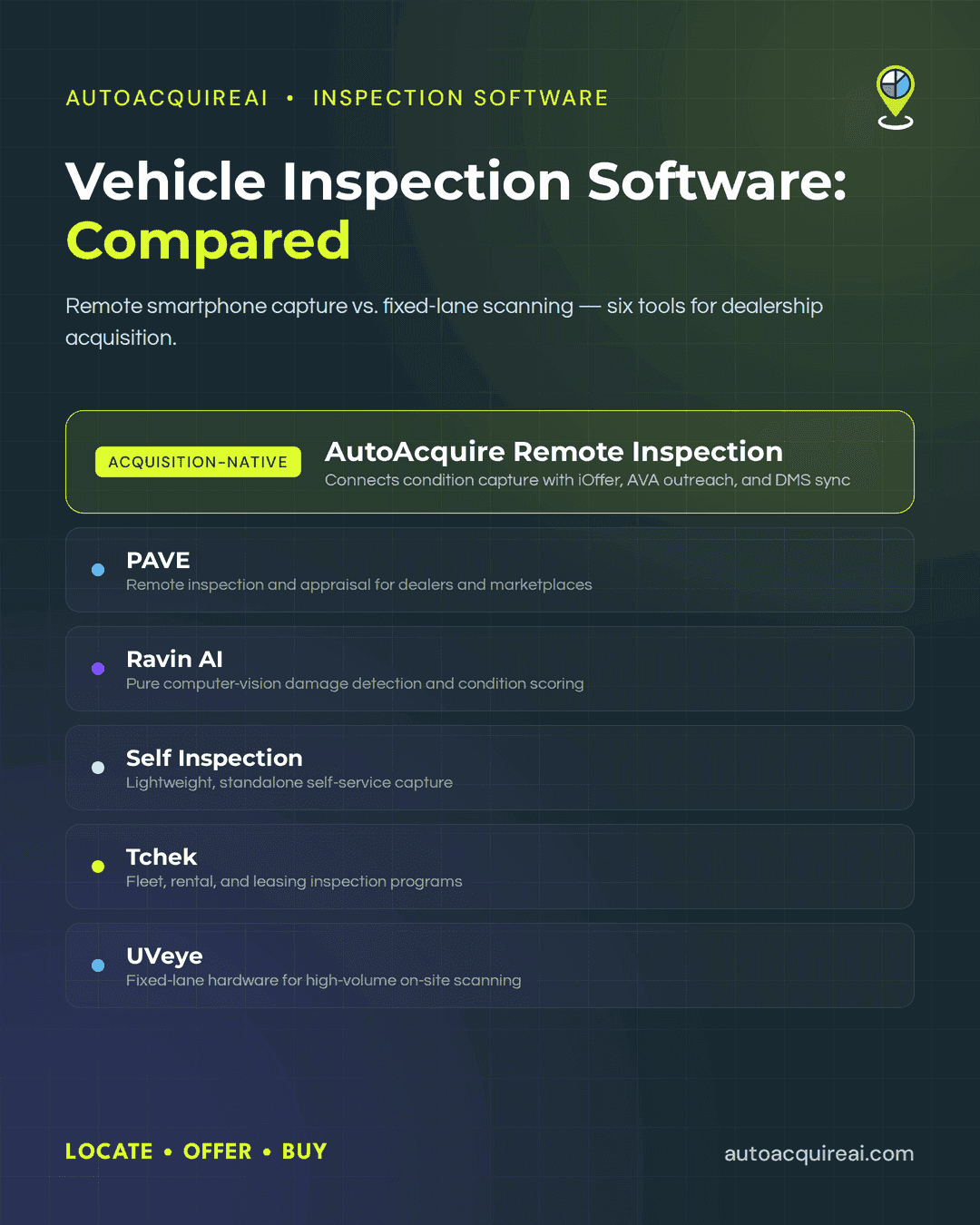
- The comparison covers eight VIN data and report providers plus AutoAcquire. API products can feed data into dealer systems, while standalone reports may require staff to transfer findings manually into appraisal and offer decisions.
AutoAcquire puts title and history verification inside the acquisition workflow.
Why dealers should check a VIN before acquisition
Dealers should verify a vehicle before acquisition, while they can still change the appraisal or decline the purchase. After acquisition, the store may have paid the seller and invested in reconditioning and sales preparation. A later title problem can delay retail delivery and tie up capital in a vehicle the store cannot sell as expected.
Title washing often appears as an unusual sequence of state-to-state title records. A vehicle may carry a branded title in one state before receiving a title in another state where the brand appears differently or disappears. Dealers that miss the earlier record can overpay and face disclosure claims when a buyer or lender finds the prior brand.
Odometer rollback appears as a drop between recorded mileage readings. For example, an earlier record may show 122,000 miles before a later record reports 86,000. The lower displayed mileage can inflate the appraisal, while the conflicting history can reduce lender acceptance and retail value.
Salvage and other branded titles usually appear through a specific title brand code or a total-loss record. Common brands include salvage, rebuilt, flood, fire, and lemon buyback. A branded vehicle may require different disclosures, and dealership policy or lender rules may limit financing and sale options.
Undisclosed accident history may appear through structural damage flags, airbag deployment records, police reports, insurance claims, or auction announcements. A title can remain clean despite severe prior damage. Dealers that rely only on title status may set an offer without accounting for frame inspection, added repair work, lower resale value, or future comeback claims.
Open liens can appear through a recorded title lien or a UCC filing connected to the seller or collateral. Paying the seller does not automatically release a secured creditor’s interest. A dealer may need a payoff and a lien release before it can receive a transferable title. Otherwise, it may need to unwind the purchase.
Require VIN verification after appraisal and before offer approval. Staff can then document the issue, adjust the valuation, request additional records, or decline the vehicle before payment and reconditioning begin.
What to look for in a VIN check or vehicle history tool
Dealers should judge a VIN check by the records it retrieves and how quickly those records inform an acquisition decision.
- Record coverage. State title and DMV records reveal title brands and ownership changes. Insurance, service, police, and auction feeds add accident, mileage, and sale context.
- Turnaround speed. Auction lane and service drive appraisals require results within the buying window. Slow or manual reports increase the chance that staff will make an offer before reviewing the record.
- Salvage and theft coverage. Dealers should confirm whether a tool reports active theft records, total-loss events, salvage titles, and rebuilt brands.
- Lien and UCC visibility. A lien check should identify outstanding claims in jurisdictions that publish current records. Coverage and record freshness vary by jurisdiction.
- API access. Dealer-grade tools can send VIN data into appraisal and inventory software, including systems that generate offers. Bulk lookup support lets staff submit multiple VINs without entering each one separately.
Consumer-grade tools suit occasional single-VIN lookups. Dealer-grade products with bulk lookup and API access fit higher acquisition volume because they can supply data to existing workflows. AutoAcquire ties verification to appraisal and uses the findings in offer logic and seller outreach.
VIN check and vehicle history tools
VIN tools differ in source coverage and integration effort. Before purchase, check whether each tool can apply its findings to an offer.
VinAudit
Best for
VinAudit fits dealers and software providers that need title and salvage data inside an existing appraisal or acquisition application.
What it is
VinAudit provides vehicle history data through dealer reports and data feeds. Its title and salvage focus supports early screening for branded titles, total-loss records, and related history concerns. Dealer platforms can license this type of data under the hood, though specific VinAudit licensing relationships need sourced confirmation.
Pros
A data-feed model removes the need to open a separate consumer report for every appraisal. Dealers handling higher VIN volume can place history checks closer to the offer decision and apply consistent screening rules across acquisitions.
Cons
VinAudit does not replace a full acquisition workflow or seller outreach platform. Integration work may outweigh the benefit for an independent dealer running occasional private-party checks. Available research also does not establish the depth of its lien, accident, service, and auction coverage, so those fields should not be assumed.
Pricing
No verified pricing was available for this review. Dealers need volume-based terms before comparing its per-VIN cost with flat-rate report products.
MarketCheck
Best for
MarketCheck suits high-volume dealers and software platforms that need bulk vehicle data through an API rather than occasional, single-VIN reports.
What it is
MarketCheck provides market and inventory data alongside VIN decoding and vehicle history overlays. Dealers can use its API to connect VIN-level information with listings, pricing records, and inventory analysis inside an existing appraisal or acquisition product.
Pros
The API supports automated lookups across large vehicle volumes, which reduces repetitive manual searches. Market and listing data can also help dealers compare a vehicle against current supply and asking prices while reviewing its history.
Cons
MarketCheck requires technical implementation before it can support a live acquisition workflow. Its broad market-data focus may also leave dealers needing a separate source for deeper title, lien, salvage, or accident verification. A dealer running occasional private-party appraisals may get little value from building and maintaining the connection.
Pricing
Verified public pricing was not available for this review. Dealers should budget for both data access and the development work required to connect the API with appraisal, CRM, or inventory systems.
Vehicle Databases
Best for
Dealer groups and software providers that need VIN data inside appraisal, inventory, or acquisition applications.
What it is
Vehicle Databases provides a developer-oriented suite of APIs for VIN decoding, vehicle specifications, market data, and history records. Its breadth suits custom software better than occasional manual lookups.
Pros
Multiple endpoints let developers retrieve specific records without forcing staff to open a consumer-facing report for every vehicle. Dealers can use the returned data to support bulk VIN processing and internal screening rules.
Cons
Vehicle Databases requires technical implementation and ongoing API maintenance. A dealer without development resources may spend more time connecting the service than using a ready-made report tool. Available records also depend on the endpoint selected, so a basic VIN decode cannot replace a title, lien, or salvage check.
Pricing
Vehicle Databases bases pricing on the products and request volume selected. High-volume users need to monitor API consumption because automated lookups can produce variable monthly costs.
NICB VINCheck
Best for: Dealers needing a quick, no-cost screen for unrecovered theft and insurance-reported salvage records.
What it is: NICB VINCheck searches records supplied by participating insurance companies. It does not provide a full vehicle history report, title chain, accident history, service records, lien status, or odometer analysis.
Pros: NICB offers an authoritative first-pass check without charging per VIN. Its narrow focus helps dealers identify theft and salvage concerns before spending money on a broader car history check.
Cons: Participating insurers determine the available records, so a clean result does not confirm a clean title or damage history. NICB also caps lookup volume, which makes the tool impractical for bulk acquisition screening.
Pricing: VINCheck is free. Dealers still need a paid history and lien source for complete acquisition verification.
ClearVIN
Best for
ClearVIN suits independent dealers and resellers that need lower-cost vehicle history reports with salvage auction records.
What it is
ClearVIN provides VIN-based history reports that may include title brands, odometer records, theft records, lien information, sales listings, and salvage auction photos when available.
Pros
Salvage auction images can reveal prior damage that a current listing or repaired vehicle may conceal. Report options geared toward resellers also make ClearVIN practical for occasional private-party acquisitions without requiring a larger dealer platform.
Cons
ClearVIN depends on records submitted by government agencies, insurers, auctions, and other data providers. Missing accident or repair events can leave material gaps, and archived auction photos will not exist for every VIN. Dealers still need a title review and physical inspection before finalizing an offer.
Pricing
ClearVIN offers single reports and discounted report packages. Low-volume stores can pay per lookup, while frequent buyers should compare package economics against dealer subscriptions and API-based services.
VinData
Best for. VinData fits dealers that regularly acquire salvage, rebuilt-title, and total-loss vehicles through auctions.
What it is. VinData supplies vehicle history data centered on auction activity, title brands, and total-loss records. Its narrower focus supports risk screening in channels where prior damage and title status heavily affect appraisal value.
Pros. Auction and total-loss records can expose earlier sale events, branded titles, and damage disclosures before a dealer commits to a bid. Dealers buying repairable vehicles can use those records to compare the seller’s description with the vehicle’s documented history.
Cons. VinData’s specialized data may not cover every question involved in a retail acquisition. Dealers may need another source for service history, detailed ownership records, or lien checks. Running separate reports adds another step at the auction lane.
Pricing. Public pricing was not available in the supplied research. Dealers need a vendor quote to calculate whether per-report or volume costs fit their auction purchasing frequency.
Vincario
Best for: Dealers and software platforms that need to decode non-US VINs across multiple markets.
What it is: Vincario provides an international VIN decoding and vehicle specifications API. It converts VINs into structured vehicle details that acquisition or inventory software can use.
Pros: Global coverage suits import dealers, export operations, and platforms that process vehicles outside the United States. API access also supports automated, high-volume decoding instead of manual lookups.
Cons: Vincario focuses on VIN decoding and specifications rather than deep US title history. Dealers still need another data source for salvage title checks, liens, odometer records, and reported accidents.
Pricing: Pricing details were not available in the supplied research. Dealers should compare API costs based on monthly VIN volume and the countries they need to cover.
CARFAX
Best for
CARFAX suits dealers that need acquisition screening and a buyer-facing report that retail buyers may recognize.
What it is
CARFAX compiles title, odometer, accident, damage, ownership, and service records into a consumer-facing vehicle history report. CARFAX receives records from motor vehicle departments and from participating police agencies, repair facilities, insurers, and auctions. Coverage varies because some events never reach a reporting source.
Pros
Dealers can use a CARFAX report during appraisal and later show the familiar buyer-facing report during sales discussions. Service history and reported accident records can also add context that narrower tools focused on salvage-title checks may omit.
Cons
Dealers should compare CARFAX’s quoted price per report with other providers when frequent lookups raise total acquisition costs. A CARFAX report remains a separate screening step unless the dealer connects it to an appraisal workflow. A clean report can still miss events that reporting sources have not recorded, including recent title changes or liens.
Pricing
Dealer pricing depends on volume and selected products. Dealers should request a quote and compare the effective cost per VIN based on both acquisition screening and merchandising value.
Comparison table
| Tool | Best For | Key Strengths | Potential Drawbacks |
|---|---|---|---|
| AutoAcquire | Verification inside acquisition workflows | Connects VIN findings with appraisal, iOffer, and AVA outreach | Not a standalone VIN lookup tool |
| VinAudit | Title and salvage data feeds | Dealer-focused data suited to licensed integrations | May require integration through another platform |
| MarketCheck | Bulk market and VIN data | API access and inventory data at scale | Less suited to occasional single-VIN checks |
| Vehicle Databases | Custom dealer applications | Broad range of developer-oriented VIN APIs | Requires technical setup |
| NICB VINCheck | Free theft and salvage screening | Free insurer-submitted theft and total-loss screening | Limited scope and capped lookups |
| VinData | Salvage and auction-heavy buying | Auction and total-loss data specialization | Narrower fit for standard retail inventory |
| ClearVIN | Independent dealers and resellers | Reports with salvage auction data | Less consumer recognition than CARFAX |
| Vincario | International VIN decoding | Global specifications and decoding coverage | Limited US title-history depth |
| CARFAX | Buyer-facing reports and acquisition screening | Buyer-facing reports and records from several source types | Higher report costs |
Which tool fits your acquisition workflow
High-volume franchise stores can use AutoAcquire to connect verification with acquisition decisions and CARFAX when they also need a buyer-facing report. AutoAcquire puts verification inside appraisal and iOffer workflows, while CARFAX provides a recognizable report for retail buyers.
Independent lots making occasional private-party purchases can start with NICB VINCheck for theft and total-loss screening. ClearVIN adds broader history and auction information when a vehicle passes that initial check. Dealers still need a separate lien check before payment.
Multi-rooftop groups need bulk access and consistent rules across stores. MarketCheck or Vehicle Databases can feed VIN data into internal systems through APIs. AutoAcquire fits groups that also want flagged history to affect instant offers and seller outreach. Vincario may suit groups that regularly handle non-US vehicles.
Dealers buying through salvage or auction-heavy channels should pair VinData with NICB VINCheck. VinData focuses on auction and total-loss records, while NICB provides a free theft and salvage screen. VinAudit can add title-focused data, but dealers should confirm lien status through an appropriate state or commercial source before completing the purchase.
How AutoAcquire connects VIN checks to acquisition decisions
VIN report integrations let used car managers apply findings during appraisal. Without an integration, a used car manager must move the VIN report between systems and manually revise the appraisal based on the result. A manager who must remember that separate task may review the report only after completing the appraisal or contacting the seller.
AutoAcquire places title and history verification inside the appraisal and iOffer workflow. When AutoAcquire finds a configured title or history flag, it can change the offer logic and AVA outreach before the dealer commits to the vehicle. Dealers can apply the same screening rules across private-party leads and service drive opportunities rather than relying on individual managers to remember each lookup.
AutoAcquire keeps verification results attached to the acquisition record after appraisal. Through its open API and integrations with CDK, Reynolds, and Dealertrack, AutoAcquire can carry acquisition records into the dealership’s existing systems.
Dealers can use CARFAX or a specialist provider for detailed research and connect findings that affect value or eligibility to appraisal and offer rules. Managers can then investigate exceptions while keeping routine VIN checks inside the buying process.
Explore AutoAcquire to map VIN flags to appraisal rules and seller follow-up before your next acquisition.
FAQs
What does a VIN check show?
A VIN check searches records tied to a vehicle’s identification number, while a vehicle history report may add title status and past events. AutoAcquire brings history verification into the appraisal and instant cash offer workflow. Dealers can account for reported issues before making an offer.
How does a vehicle history report catch odometer rollback?
A report flags rollback when recorded mileage falls below an earlier reading or changes implausibly between dated records. AutoAcquire can surface those history findings during appraisal, and dealers can investigate the discrepancy before pricing the vehicle.
Does a clean VIN check guarantee a clean title?
A clean VIN check does not guarantee a clean title because source records can arrive late or remain incomplete. AutoAcquire connects available history findings with the acquisition workflow, but dealers should still verify the current title document and issuing state before purchase.
How does a lien check differ from a title or salvage check?
A lien check searches for a creditor’s financial claim, while title and salvage checks identify ownership status and title brands. AutoAcquire can incorporate reported title and history findings into appraisal decisions, and dealers can separate payoff requirements from damage-related title problems before completing the purchase.